Article summary generated by AI — it may contain errors.
Table of contents
The display is increasingly becoming a key element of an HMI application. It gives users access to data, device status, alarms and key information needed to operate a machine, system or process. That is why choosing the right display technology should not be based only on screen size or resolution. Lighting conditions, the type of information presented, method of operation, power consumption, durability and integration requirements are just as important. In this article, we compare the main display technologies used in industrial HMI applications and explain how LCD, OLED and EPD fit different device requirements and operating conditions.
In HMI applications, different display technologies can be used, and their selection should depend on the type of device, operating environment and data presented. In this article, we focus primarily on industrial automation applications – including measuring devices, local control panels and process control systems.
We discuss LCD technology in two variants: monochrome LCDs for simpler industrial interfaces that present statuses, measured values and messages, and color LCD-TFTs for advanced operator panels in machines and production lines. We also cover OLED displays – compact, high-contrast solutions for devices that require quick access to key information. Finally, we look at EPDs, or e-paper, which are worth considering when content changes infrequently and low power consumption is important.
Monochrome LCDs in HMI applications
Monochrome LCDs have been used in HMI applications for many years and remain a practical choice for many devices. They are especially suitable where the interface needs to present basic data, such as measured values, statuses, alarms, operating modes, short service messages or simple symbols.
This type of display can be used, among others, in:
- operator panels of industrial devices – for presenting operating parameters, statuses, alarms, operating modes and simple service messages;
- industrial controllers and regulators – for example for temperature, humidity, pressure, speed, flow or liquid level;
- measuring and control devices – such as meters, counters, data loggers, operating parameter analyzers or diagnostic modules;
- machine and production line control systems – for displaying basic statuses, setpoints, alarm messages and operating information;
- auxiliary automation devices – such as power supplies, programmable relays, I/O modules, inverters or simple service terminals.
When is it worth choosing a monochrome LCD?
A monochrome LCD is a good choice when the application requires a simple, durable and cost-effective way to present basic information. It is well suited to classic industrial applications where reliability, low hardware requirements, easy integration with device electronics and predictable operation over a long product lifecycle are important.
When selecting a monochrome LCD, it is worth considering not only the module size, number of rows and columns, resolution, background color and display color, but also parameters that affect readability, mounting and integration with the device. The most important of these are described below.
Character and graphic variants
Monochrome LCDs are available in character and graphic variants. Each variant handles the layout and presentation of information differently.
Character displays, also known as alphanumeric displays, present information using predefined characters – letters, digits and basic symbols. They are suitable for interfaces that need to display simple messages, numerical values, operating statuses or short descriptions of device functions.
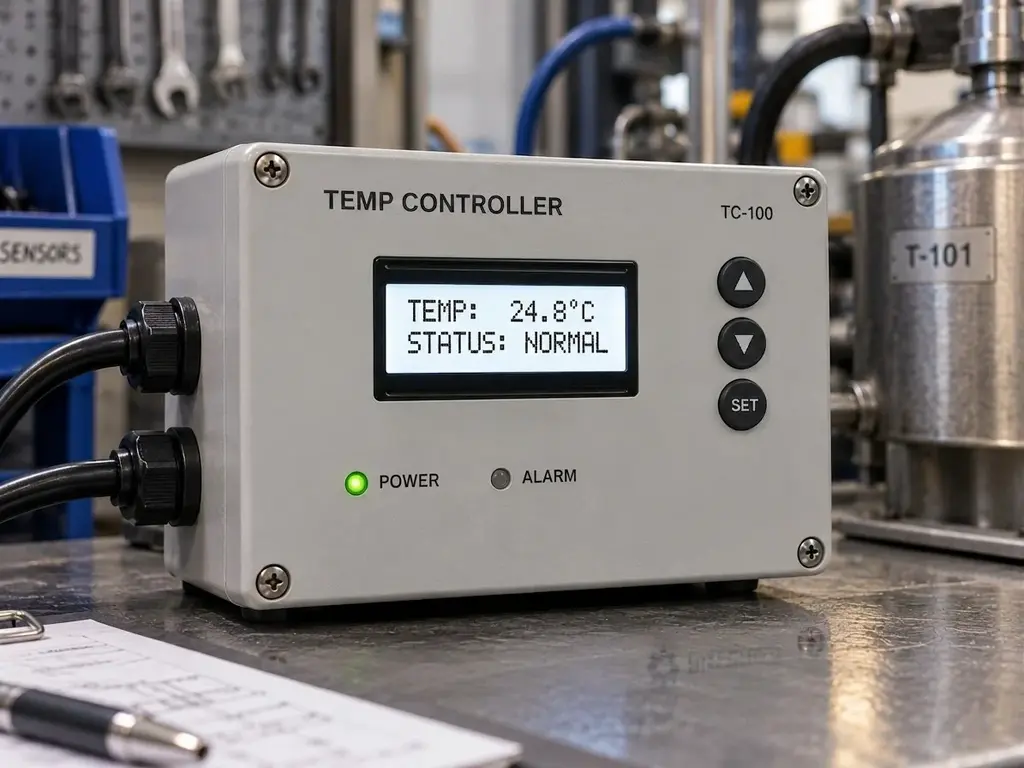
Graphic displays offer more flexibility in arranging content on the screen. They can display not only text, but also icons, symbols, simple charts, diagrams or other graphic elements, making them better suited to applications that require a more flexible information layout.
Viewing direction
Monochrome LCMs usually have limited viewing angles, so the viewing direction should be considered when selecting the display. The most common variants are defined as 6:00 or 12:00 and are chosen according to the position of the screen relative to the user. A 6:00 viewing direction is typically used when the screen is positioned above the user’s eye line and viewed from below. A 12:00 viewing direction is used when the screen is positioned below the eye line and viewed from above.
Optical structure of the module
In monochrome LCDs, the optical structure of the module affects how light is used and how readable the content remains under specific operating conditions. The most common variants are:
- reflective displays – use a reflective layer placed behind the liquid crystals; light enters the module from the front, passes through the display layers, reflects off the reflector and returns to the user, creating a visible image;
- transmissive displays – use light generated by a backlight placed behind the LCD matrix; the liquid crystals modulate this light to create characters, symbols or graphics on the screen;
- transflective displays – combine reflective and transmissive elements, allowing the module to use both light from the backlight and ambient light reflected from the reflective layer.
The optical structure should be selected according to the device’s operating conditions. If the screen is used in a well-lit production hall, a transflective variant may be a good choice – it uses ambient light to improve readability, while the backlight supports visibility when lighting levels decrease.
Module structure
Monochrome LCMs can be available in several structural variants, including COB and COG. These solutions differ in the way the driver IC is integrated with the display module:
- COB, or Chip-on-Board – the controller is mounted on the module’s PCB;
- COG, or Chip-on-Glass – the controller is mounted directly on the display glass, reducing the number of intermediate elements and enabling a more compact structure.
The module structure should be selected according to the design requirements of the device. In many classic HMI applications, COB remains a natural choice – proven, widely available and easy to integrate. COG is worth considering in projects where a more compact structure is required due to limited mounting space.
Communication interface
In monochrome LCDs, simple parallel or serial interfaces are often used, such as SPI or I²C. They are well matched to the nature of these modules, which are typically used to present basic data – operating statuses, alarms, measured values or service messages. Since this type of information does not require high bandwidth or advanced graphics control, simple interfaces help reduce design complexity, simplify integration with a microcontroller and support stable, predictable operation in industrial applications.
TFT LCDs in HMI applications
TFT LCDs are among the most commonly selected solutions in modern HMI applications. Their versatility is one of their key advantages: they are available in a wide range of sizes, offer different brightness levels and interface options, and can be integrated with a touch panel or cover glass.
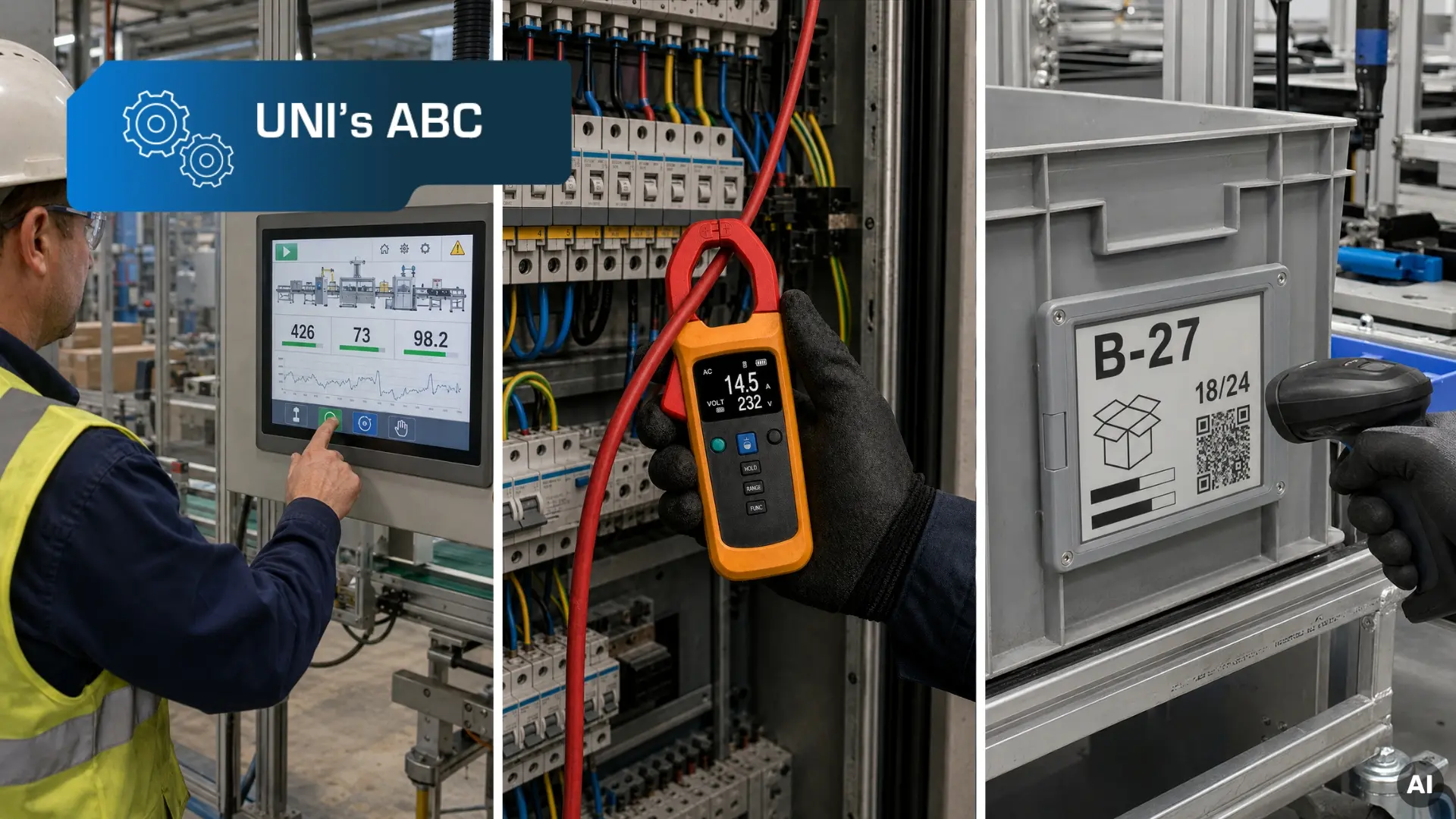
TFT LCD technology is particularly well suited to applications where the screen needs to present complex information – charts, recipes, alarms, process diagrams, production data, icons, menus and control elements. This makes it a strong fit for modern industrial devices in which the HMI serves as the main communication point between the operator and the machine.
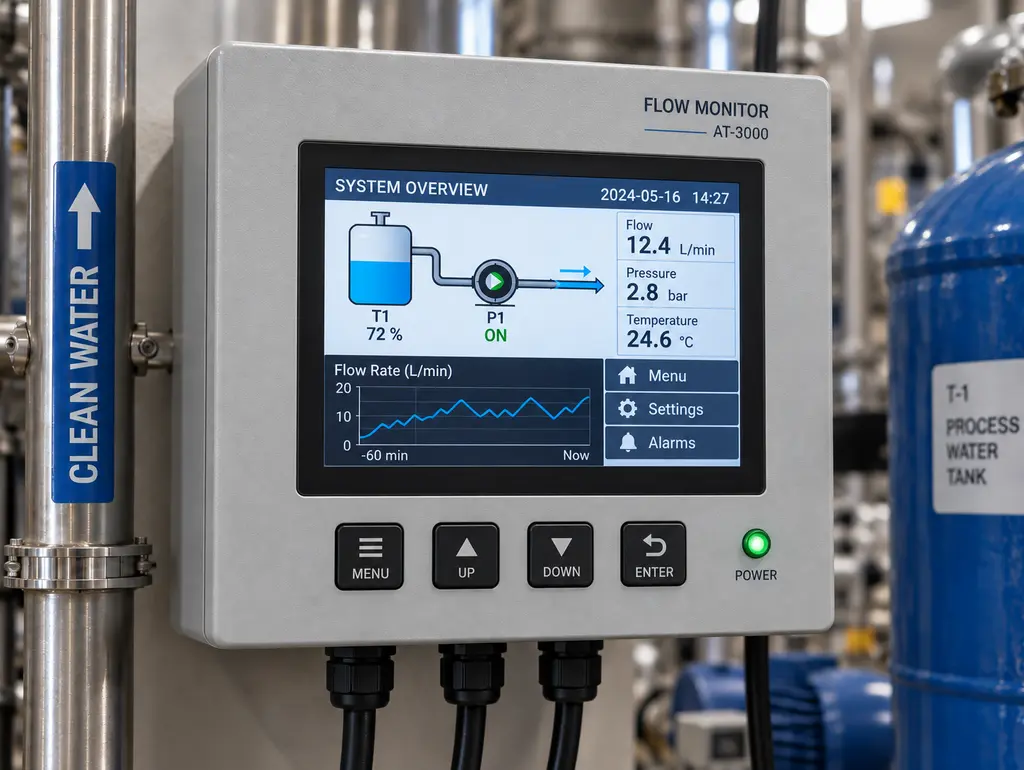
Example HMI applications using TFT LCDs
In industrial automation, TFT LCDs are particularly useful wherever multiple types of data, parameters and messages need to be presented clearly. They are used, among others, in:
- operator panels for machines and production lines – for local device operation, parameter configuration, selection of operating modes and presentation of alarms, recipes and process data;
- industrial automation systems, including SCADA – for monitoring processes, installations or entire production areas, as well as for data analysis, trend visualization, technological diagrams and reports;
- control panels – for operating test stations, auxiliary devices, service modules or local control points;
- measuring, control and diagnostic devices – for presenting results, charts, setpoints, alerts and service data.
What should you consider when choosing an TFT LCD for an industrial HMI application? Screen size and resolution are important, but they are not the only parameters that matter. Brightness, contrast, viewing angles, communication interface and backlight lifetime should also be analyzed before selecting a specific model.
Screen size
In HMI applications, TFT LCDs with diagonals of 7″, 10.1″, 12.1″ or 15.6″ are often used. Smaller screens work well in compact devices with limited mounting space, where the display mainly presents basic parameters, statuses and messages. Larger screens, in turn, make it easier to present more complex data clearly – for example several views at once, charts, recipes, alarms or process diagrams.
When selecting the size, the diagonal should not be the only criterion. The active area, external module dimensions and mounting method in the enclosure are also important. This is especially relevant in projects where the display is integrated with a touch panel, cover glass, frame or additional mechanical elements.
Optical parameters
In TFT LCDs, optical parameters are critical to the readability of displayed information and the comfort of the operator. When selecting a module, it is worth focusing in particular on resolution, brightness, contrast and viewing angles.
Resolution
Resolution should match the amount and type of information presented on the screen. In simpler applications, lower resolutions may be sufficient, such as 800 × 480 px for 7″ displays or 1024 × 600 px for 10.1″ screens. In more advanced operator panels, higher resolutions – such as 1024 × 768 px, 1280 × 800 px or 1920 × 1080 px – are worth considering, as they allow text, icons, charts, alarms and control elements to be presented clearly.
Brightness and contrast
Display brightness should be matched to the device’s operating environment, such as the lighting conditions in a production hall. The screen may be exposed to intense artificial lighting, sunlight from nearby windows or skylights, or locally illuminated workstations, so standard brightness may not always ensure comfortable data reading. In many industrial applications, it is worth considering TFT LCDs with brightness of around 1000 cd/m² or higher.
Brightness alone, however, is not enough if the image does not provide sufficient contrast. Contrast determines how clearly light and dark interface elements are separated, and therefore how easily the operator can read the information on the screen. In practice, properly selected contrast improves readability without the need to excessively increase backlight brightness, which is also important for power consumption and module lifetime.
Viewing angles
Wide viewing angles are also important for operator comfort. In HMI applications, users do not always look at the screen directly from the front – data may be read from the side, from above or from below. That is why, in many industrial projects, it is worth choosing displays that maintain stable readability from different viewing directions, such as IPS matrices or solutions with viewing angles close to full, for example 89°/89°/89°/89°.
Communication interface
TFT LCDs used in HMI applications can support different signal interfaces, including RGB, SPI, MCU, LVDS, MIPI DSI, eDP and HDMI. The choice should depend on the architecture of the entire device – the type of processor or microcontroller, required resolution, transmission bandwidth, connection length, connector availability and resistance to interference.
In simpler systems, interfaces suited to microcontrollers and lower resolutions can be used, such as SPI, MCU or RGB. In more advanced applications, for example those based on an industrial computer, SoM module or application processor, higher-bandwidth interfaces such as LVDS, MIPI DSI, eDP or HDMI are more commonly used. They support higher resolutions, larger amounts of data and more complex graphical interfaces.
In industrial applications, signal compatibility alone is not enough – communication stability is equally important. When selecting an interface, it is therefore worth considering cable length, signal routing, resistance to electromagnetic interference and the availability of the selected solution throughout the product lifecycle.
Learn more about communication interfaces in our guides:
- The review of popular interfaces to image transfer – part 1,
- The review of popular interfaces to image transfer – part 2.
Backlight lifetime
In TFT LCDs, LED backlight lifetime is one of the key operating parameters. This is especially important in industrial applications where devices may operate continuously or for long periods of time.
When selecting a TFT LCD for an HMI application, it is worth considering the expected operating time of the device, usage mode, declared backlight lifetime and the expected brightness level after long-term operation. Module availability throughout the product lifecycle is also important, especially in industrial projects that need to be maintained and serviced for many years.
In industrial projects, backlight lifetime has a direct impact on device reliability and maintenance costs. That is why display selection should take into account not only image parameters at the start of the project, but also long-term operating stability.
Unisystem TFT LCDs – Unisystem Lite, Unisystem Core and Unisystem Pro
Unisystem has developed its own lines of TFT LCDs based on decades of experience gained through display projects. The portfolio was created in response to requirements observed in industrial applications, including HMI systems.
The Unisystem portfolio of proprietary TFT LCD solutions includes three product lines designed for different application requirements:
- Unisystem Lite – modules for devices operating indoors under stable conditions,
- Unisystem Core – the industrial standard for intensive use,
- Unisystem Pro – modules for devices operating outdoors, including demanding environments.
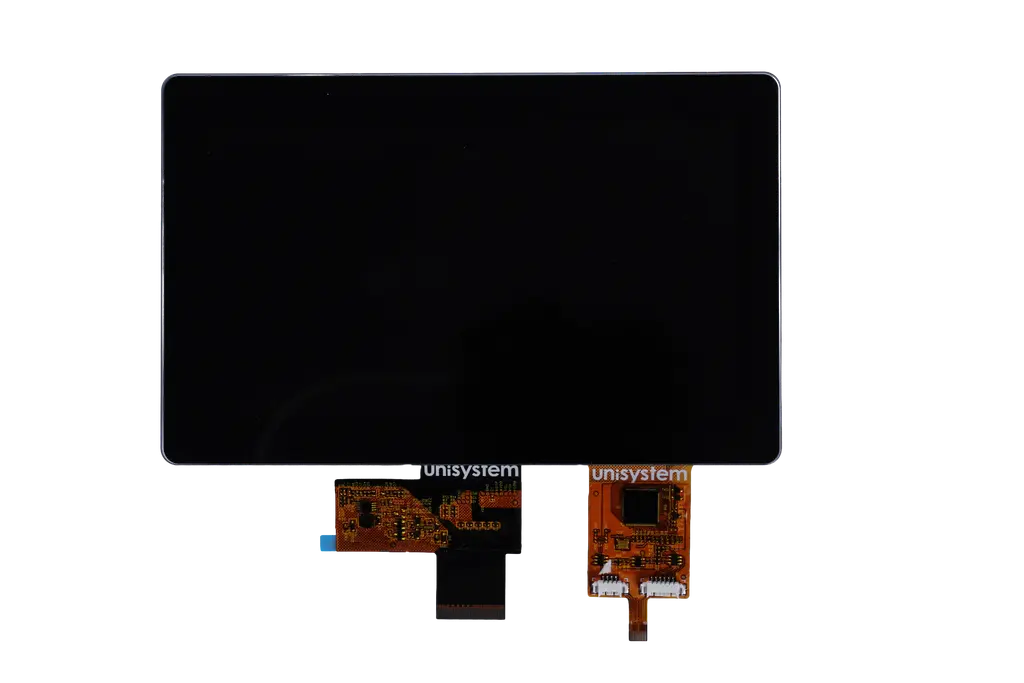
The division into Lite, Core and Pro makes it easier to match display parameters to the actual requirements of a given HMI application – without over-specifying the solution or increasing its cost unnecessarily, while avoiding compromises where higher technical parameters are required.
Want to learn more about the development of Unisystem’s own product portfolio? Read the interview: New products developed by Unisystem: industrial LCD-TFTs in three variants.
OLED displays in HMI applications
In HMI applications, OLED displays are best considered as compact solutions – usually small screens used where key information needs to be presented in a clear, high-contrast form. They are well suited to devices where the interface does not need to be complex, but should immediately draw the operator’s attention to a status, alarm, measured value or service message.
OLED, or Organic Light Emitting Diode, is a self-emissive technology. This means that each pixel emits its own light, without the need for a separate backlight. As a result, OLED displays offer deep black, vivid colors, high contrast and very good readability, even at small screen sizes. This is especially important in compact industrial devices where users need quick access to the most important data.
In industrial automation, OLED displays can be used, among others, in:
- compact control panels – for presenting operating statuses, alarms, operating modes and short messages;
- controllers and regulators – for example temperature, pressure, humidity, flow, speed or liquid level;
- measuring and test devices – such as meters, analyzers, data loggers, calibrators or testers;
- information, diagnostic and service modules – for displaying error codes, control parameters, operating messages or basic service data;
- portable and auxiliary devices – wherever compact size, readability and quick access to key information are important.
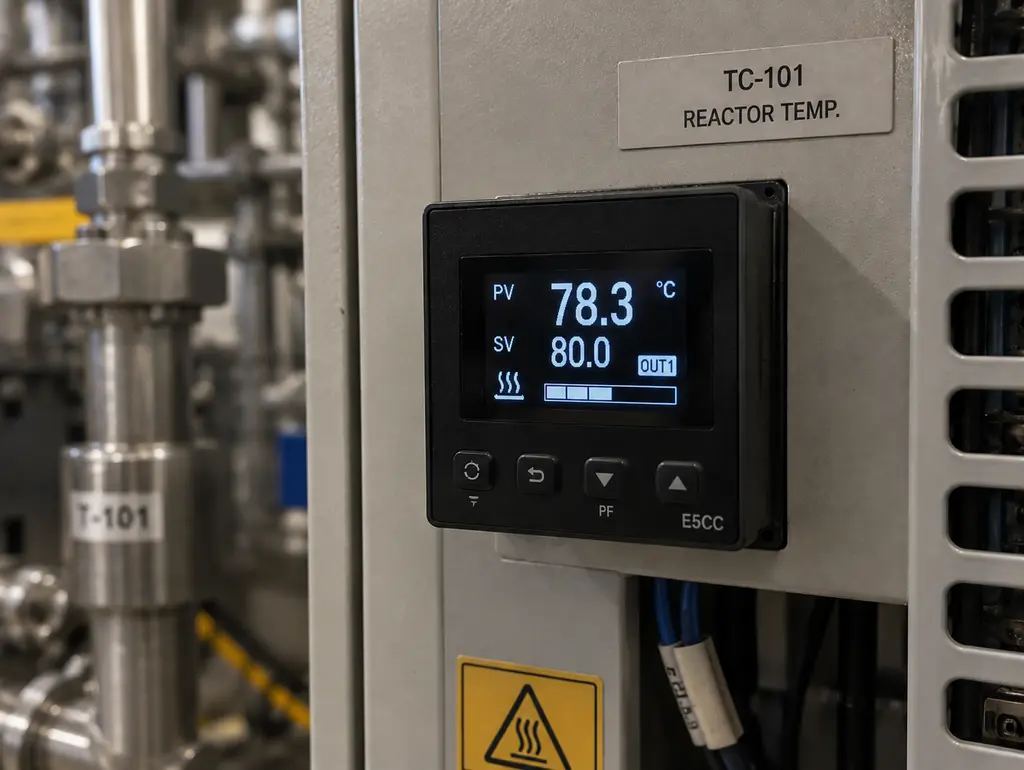
When should you choose an OLED display?
An OLED display is a good choice when the application requires a small, readable screen with high contrast. In practice, it works especially well in devices that present a limited amount of data but require quick and unambiguous reading. This may include operating status, alarms, measured values, device modes, error codes or short messages for the operator.
OLED technology is also well suited to interfaces based on a dark background, where only active elements are illuminated. This approach provides excellent readability and can also help reduce power consumption, as energy is mainly used by active pixels.
When selecting an OLED display, it is worth considering not only the module size, monochrome or color version and content presentation method, but also parameters that affect readability, integration and long-term operation. The most important of these are described below.
Content presentation variants
OLED displays can be supplied in character and graphic variants, as well as in monochrome and color versions. Character variants work well in simple interfaces where the screen mainly presents digits, letters and short messages. Graphic variants offer more freedom in arranging information on the screen – they can display icons, symbols, simple charts, progress bars or messages in a more flexible layout.
Monochrome OLED displays present information in a single color, most often on a black background. They work best in applications where the screen shows basic data, such as measured values, and color is not needed to distinguish between types of information. Color OLED displays, on the other hand, make it possible to use multiple colors. They are worth considering when color plays an informational role, for example by helping distinguish normal operation from a warning, alarm, error or state requiring operator action. In such applications, color is not only a visual element, but can also support the intuitiveness of the entire interface.
Contrast
One of the key advantages of OLED displays is their extremely high contrast. Since each pixel emits light independently, black areas of the screen can remain fully switched off, while active interface elements stand out clearly against the background. This makes information highly readable even on small screens.
Viewing angles
OLED displays also provide very wide viewing angles. This is important in devices that are not always viewed directly from the front – for example compact panels, portable equipment or modules mounted at different angles. As a result, the information remains clear and easy to read regardless of the user’s position, even when the operator looks at the screen from the side, from above or from below.
Interfaces
OLED modules often use SPI, I²C or parallel interfaces. These interfaces are well suited to the nature of OLED displays, as small OLED screens usually do not require high bandwidth or an advanced graphics path. This simplifies integration with a microcontroller and makes it possible to design compact embedded devices without unnecessarily increasing system complexity.
EPD displays – can they be used in HMI applications?
EPDs, or e-paper, are not the most common choice for HMI applications, but in specific scenarios they can be a valuable solution. They are particularly well suited to applications where content does not change dynamically, and where energy efficiency, readability in ambient light and image retention without constant power consumption are important.
EPD technology is based on a different operating principle than LCD or OLED. In simple terms, the image is created by moving pigment particles in microcapsules under the influence of an electric field. Once the content is displayed, the screen does not need continuous power to maintain the image – energy is consumed mainly during refresh. This makes e-paper a good fit for applications where data changes periodically and the screen needs to remain readable for long periods of time.
In industrial automation, EPDs can be considered, among others, in:
- status panels for industrial devices – for presenting machine status, process numbers, service messages or operating information;
- marking of workstations, components and resources – as electronic labels for production lines, racks, containers, tools or devices;
- information, diagnostic and service modules – for displaying instructions, codes, statuses, identification data or messages updated periodically;
- telemetry systems – for presenting parameters, identifiers, reference values or device status information;
- battery-powered and low-power devices – where reducing power consumption is more important than fast image refresh.
When should you choose an EPD?
An EPD is worth considering when the screen is intended to present data that does not change in real time. This may include device status, workstation marking, process number, service message, identification code or a parameter updated only periodically. Before choosing this type of display, however, several key factors should be analyzed: lighting conditions, number of colors, required refresh time, communication method with the device electronics and planned operating mode. These factors determine whether e-paper is the right technology for a given HMI application.
Readability and lighting conditions
One of the key advantages of EPDs is excellent readability in ambient light. The image resembles print on paper, so information remains clear even under intense lighting, including sunlight. This is an important difference compared to emissive or backlit technologies, where strong external light can make the screen harder to read.
It is worth noting, however, that standard EPDs do not emit light on their own. In low-light conditions, additional screen illumination may therefore be necessary.
Colors
EPDs are available in different color variants – from monochrome, through 3-color and 4-color versions, to full-color solutions. In industrial applications, monochrome e-paper is often sufficient, especially when the screen is used to present text, numbers, codes, statuses or markings. Variants with additional colors are worth considering when color serves an informational function, for example by highlighting a warning, a status requiring attention or a change in device state. It should be remembered, however, that more colors usually mean a longer refresh time, which may be important in applications where content is updated more frequently.
Refresh time
When selecting an e-paper display, refresh time is one of the key parameters to consider. Image updates usually take longer than in LCD or OLED technologies, and the exact refresh time depends on the specific module, screen size, number of colors and update method. This is why e-paper works best for messages, statuses, markings and data updated periodically. If the screen needs to present dynamic process changes, an e-paper display will not be the optimal choice.
Interface
EPDs often use interfaces well suited to energy-efficient embedded systems, such as SPI. This matches the nature of the technology, as the screen does not require continuous transmission of large amounts of data – content is usually updated periodically rather than changed in real time.
As a result, e-paper can be integrated with microcontrollers and battery-powered devices without unnecessarily increasing system complexity. In more advanced projects, however, it is also worth considering controller selection, refresh management and the memory required to handle the displayed image.
*
The selection of a display for an HMI application should be based on the actual operating conditions of the device, the scope of presented data and the expectations of the end user. In compact interfaces, monochrome LCDs and monochrome OLED displays are often the best fit – the former as a simple, durable and cost-effective solution, the latter as a more advanced option for applications requiring quick data reading. In advanced operator panels, TFT LCDs are most commonly selected because they can present many types of information clearly at the same time. E-paper, on the other hand, is worth considering where content is updated periodically, low power consumption is essential and the screen operates in an environment with constant access to an external light source.
Are you designing an HMI device and looking for a display tailored to a specific application? Contact us – we will help you choose the right technology, parameters and integration method for your device.
FAQ – displays for HMI applications in industrial automation
Which display is suitable for an operator panel, for example in a production line?
In operator panels for machines and production lines, TFT LCDs are most commonly used. They allow process parameters, alarms, recipes, charts, operating statuses and control elements to be presented clearly. When choosing a display, it is worth considering screen size, resolution, brightness, viewing angles, interface, backlight lifetime and the possibility of integration with a touch panel or cover glass.
How to choose the right display for an industrial device with a built-in screen?
The choice of display depends on the function of the interface. If the screen needs to present extensive process data, alarms, recipes or control elements, a TFT LCD will usually be the best choice. In simpler machines, where the screen shows basic statuses, setpoints or messages, a monochrome LCD or OLED display may be sufficient.
Which display should you choose for a measuring or control device?
In measuring and control devices, display selection depends on the amount and type of data presented. If the screen mainly shows measured values, statuses and short messages, a monochrome LCD or OLED display may be the optimal choice.
When is a monochrome LCD or OLED display sufficient in an HMI application?
A monochrome LCD or OLED display is suitable for presenting basic information: numerical values, statuses, alarms, messages and simple symbols. These solutions are well suited to simple HMI interfaces where clear data reading and convenient operation of basic device functions are important. They are often used in regulators, controllers, counters and diagnostic modules.
When is it worth using a TFT LCD?
A TFT LCD is worth using when the HMI application requires more complex information to be presented – menus, icons, charts, recipes, alarms, process diagrams or production data. This technology is well suited to machine operator panels, local control panels and monitoring systems.
In which HMI applications is it worth considering an EPD?
An EPD is worth considering where the presented content changes rarely, and low power consumption and good readability in ambient light are key. E-paper works well in status panels, electronic workstation labels, information modules, telemetry systems and battery-powered devices. However, it is not the best solution for dynamic data presentation.
Which display is suitable for battery-powered devices?
In battery-powered devices, EPD or OLED technology is worth considering, depending on how the interface works. EPD is suitable when data is updated periodically and the screen needs to maintain a static image without constant power consumption. OLED will be the better choice in compact devices with short messages or active elements on a dark background.
Can an HMI display be integrated with a touch panel, cover glass or enclosure?
Yes, an HMI display can be integrated with a touch panel, cover glass, frame or device enclosure. This helps adapt the module to the operating conditions, method of use and mechanical requirements of the application. During design, it is worth considering the type of touch panel, type of glass, mounting method, sealing and target operating environment.
Can HMI displays be combined with mechanical elements such as buttons, switches or keyboards?
Yes, HMI displays can be combined with buttons, switches, encoders, keyboards or signaling elements. This solution works well where touch operation alone is not sufficient – for example due to gloves, environmental conditions, ergonomics or the need for quick access to selected functions.