Industrial Automation & HMI
Displays for industrial automation and HMI
Operator panels on machines and production lines are used with gloves, splashed with water and oil, and expected to run for a decade. We help you choose displays and touch panels that stay readable and responsive on the factory floor, with long-term availability in mind from the start.
- from compact HMI to operator stations
- 5–21.5″from compact HMI to operator stations
- operating range available for unheated halls
- -40…+85 °Coperating range available for unheated halls
- touch calibrated for real working conditions
- Gloves · water · oiltouch calibrated for real working conditions
Why it matters
What makes an HMI display industrial
Industrial environments combine several stresses at once: dust and moisture, oil and cleaning agents, vibration from machines, electrical noise from drives, and wide temperature ranges in unheated halls. Operators wear gloves and look at the screen from different positions. A consumer-grade panel fails on at least one of these counts.
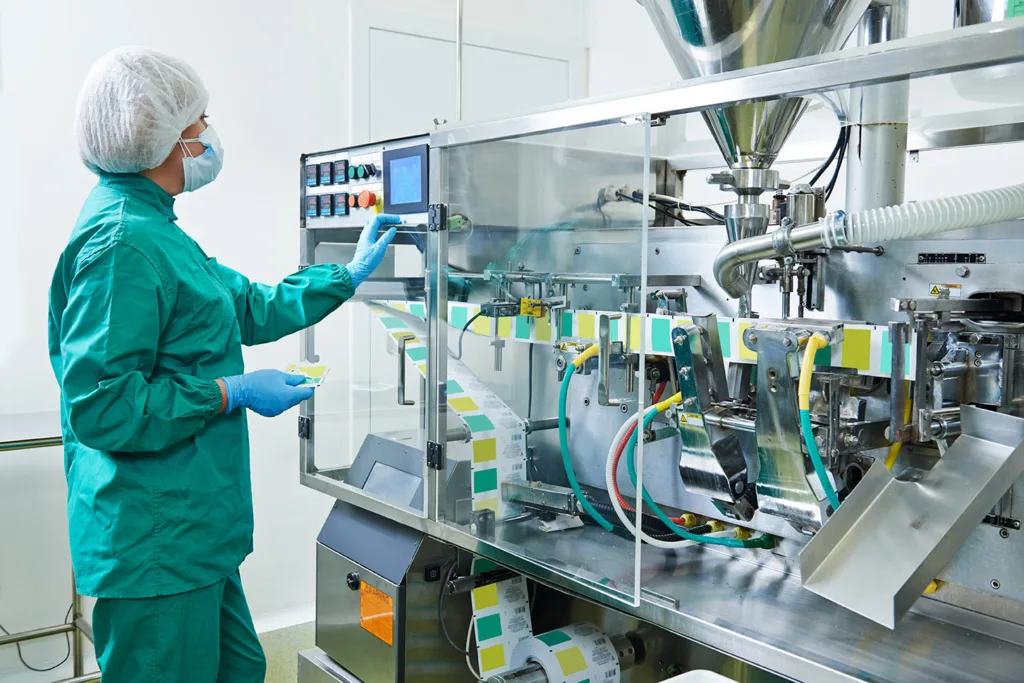
Most operator panels use 5–15.6″ LCD-TFT displays with 400–1000 cd/m² and full viewing angles, paired with a capacitive or resistive touch panel. Around that core, the details decide: touch calibration for gloves and water, a sealed front for washdown, and an interface that fits your controller. Whether the plant is "dirty", like a steel mill or a mine, or "clean", like a food or pharmaceutical line, changes which of those details matter most.
Applications
Industrial applications we support
Typical devices and the requirements that come with them. Each link opens our display configurator with matching criteria already set.
Compact HMI panels
Machine panels and control units with capacitive touch. Embedded displays with an integrated controller shorten development for smaller teams.
- 5–10″
- PCAP
- full viewing angle
- -20…+70 °C
Large operator panels
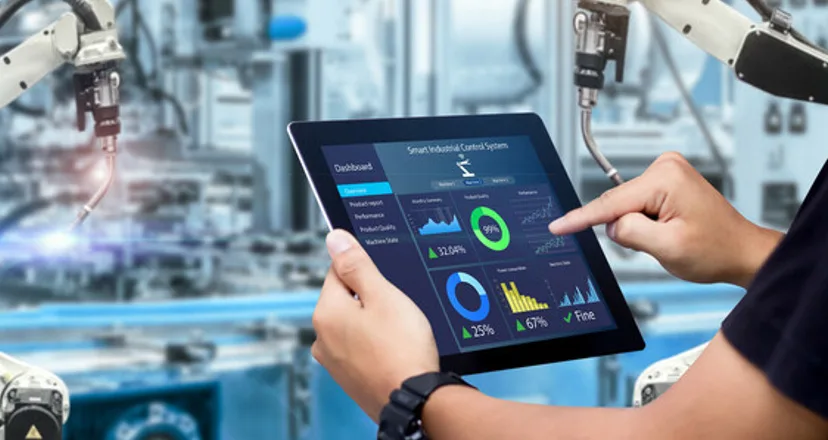
Screens for SCADA, line control and visualization. Industrial monitors and HMI panel PCs are available when you need a complete unit.
- 10–20″
- PCAP or no touch
- IPS
- 24/7 operation
Operation in work gloves
Thick protective gloves call for resistive touch, or for PCAP tuned specifically for glove use. We calibrate the controller and test it with the gloves your operators wear.
- 5–20″
- resistive touch
- or glove-tuned PCAP
- robust front
Operation in disposable gloves
Nitrile and latex gloves work with well-tuned capacitive touch, which matters in food, pharma and cleanrooms, where the front must also withstand cleaning.
- 5–20″
- PCAP
- chemical-resistant glass
- IP65 front
Portable measuring devices
Handheld meters, testers and scanners. Monochrome OLED works for simple readouts from -40 to +80 °C; small sunlight-readable TFTs show graphs and menus.
- 3–8″
- OLED or TFT
- wide temperature
- low power
Parameter indicators
Small displays that show values and status on machines, sensors and control cabinets. OLED, LCM or small TFT, usually without touch.
- up to 5″
- OLED, LCM or TFT
- no touch
- long life
Requirements
What a factory floor demands from a display
The same four issues come up in almost every industrial project.
Gloves, water and oil
Touch must react to a gloved finger and ignore water drops, oil films and cleaning liquid. PCAP calibration with water and palm rejection makes it reliable; resistive touch remains an option for thick gloves.
Dust and washdown
The display front must be sealed to the enclosure. IP65 is common; IP69 is required in some food-industry equipment that is washed with high-pressure hot water.
Electrical noise
Drives, inverters and welding equipment generate interference. Touch controllers with noise detection and frequency hopping, together with proper grounding, keep touch stable.
Long product life
Machines stay in production for years, so part availability matters as much as the datasheet. Choose industrial-grade panels and check the product's lifecycle before you design it in.
Specification guide
How to specify an industrial HMI display
Starting values for a typical machine or line panel.
| Parameter | Typical requirement | Why it matters |
|---|---|---|
| Size | 5–10.1″ for compact HMI · 12–21.5″ for operator stations | Matches typical control cabinets and consoles |
| Brightness | 400–750 cd/m² in halls · 1000+ cd/m² near windows or outdoors | Readability in brightly lit spaces |
| Operating temperature | -20…+70 °C minimum; -30…+80 °C for unheated halls and outdoor machines | Cold starts and warm cabinets |
| Viewing angle | Full viewing angle (IPS) | Operators read from the side and from above |
| Touch | PCAP with glove and water modes, or resistive for thick gloves | Real working conditions |
| Front | Strengthened glass, IK-rated; IP65 sealing, IP69 for washdown | Impact, dust and cleaning |
| Interface | RGB, LVDS or MIPI; HDMI through a controller board; UART or SPI smart displays | Fits PLCs, SoMs and microcontrollers |
| Lifetime | Long-life LED backlight; long-term availability | Machines are serviced for years |
What we adapt
What we adapt for industrial projects
Our Solution Department prepares the display, touch and mechanics so they fit your machine.
Touch calibration
Tuning for latex, nitrile or rubber gloves, water, oil and grease on the surface, and electrical noise, tested in conditions close to the application.
Cover glass with openings
Glass cut to shape with openings for buttons, knobs or emergency stops, printed with your graphics, so you do not have to give up touch.
Optical bonding
A bonded front for higher contrast, no condensation and better impact resistance.
Interfaces and controllers
Controller boards, signal conversion and custom cables, or embedded displays with an integrated controller.
Mechanics
Frames and mounting elements designed for your panel cut-out and sealing concept.
Our own LCD-TFT lines
Unisystem Lite, Core and Pro are LCD-TFT modules we control end to end, and an excellent starting point for further customization.
Meet the three lines- Core
HMI panels, industrial systems and measurement devices: the industrial standard, up to 1000 cd/m² and 100,000 h MTBF.
About Unisystem Core - Lite
Operator panels in stable indoor conditions, where functionality and easy integration matter most.
About Unisystem Lite
From our catalog
Industrial displays from our catalog
A selection matched to the applications above, updated automatically with our catalog.
 Compact HMI panels
Riverdi
RVT70HSBFWCA0
Riverdi 7" EVE4 Display
- 7″
- 800 cd/m²
- -20…+70 °C
- PCAP touch
 Compact HMI panels
Riverdi
RVT101HVBFWCA0
Riverdi 10.1" EVE4 Display
- 10.1″
- 800 cd/m²
- -20…+70 °C
- PCAP touch
 Large operator panels
AUO
G150XAB03.0
AUO 15" 1024x768 LCD-TFT display
- 15″
- 400 cd/m²
- -20…+70 °C
- PCAP touch
 Large operator panels
Winstar
WF1560BSYAA5ENB0
Winstar 15.6" 1920x1080 LCD-TFT display
- 15.6″
- 800 cd/m²
- -20…+70 °C
- PCAP touch
 Industrial monitors & panel PCs
Litemax
DLD1566-I
Industrial monitor from Litemax Co.
- 15.6″
- 1200 cd/m²
- -30…+70 °C
- 1920×1080
 Industrial monitors & panel PCs
MSI
MS-1A71
15.6" Fanless HMI Panel PC (with Intel Alder Lake N Series) by MSI
- 15.6″
- 500 cd/m²
- 0…+40 °C
- 1920×1080
 Indicators & portable instruments
Winstar
WEN025664ALAP3N00000
Winstar OLED graphic display module
- 2.8″
- -40…+80 °C
- 256×64
 Indicators & portable instruments
Winstar
WEH002004ABPP5N00100
Winstar Longlife OLED alphanumeric display
- 2.88″
- -40…+80 °C
FAQ
Frequently asked questions
Capacitive or resistive touch for an industrial HMI?
Projected capacitive (PCAP) is the default today: it supports multi-touch, works behind thick glass and, when calibrated, handles thin gloves and water. Resistive touch still makes sense for thick work gloves, styluses or when cost is critical. We can tune and test either for your conditions.
What brightness do I need for an operator panel?
In a typical hall 400–750 cd/m² is enough. Near windows, in brightly lit spaces or outdoors, plan for 1000 cd/m² or more. Full viewing angles let operators read the screen from the side.
Can the display be sealed for washdown?
Yes. The front is sealed to your enclosure with gaskets or bonding. IP65 covers dust and water jets; IP69 adds high-pressure, high-temperature cleaning, which some food and pharmaceutical machines require. The rating is achieved by your enclosure design, and we provide a display stack that can be sealed into it.
Do you offer ready HMI modules with a controller?
Yes. Our catalog includes embedded displays with integrated controllers, such as Riverdi's EVE and STM32-based series, smart displays controlled over UART, and industrial monitors and HMI panel PCs when you need a complete unit.
Can you add openings for buttons or knobs in the cover glass?
Yes. Cover glass can be cut to shape with openings for buttons, knobs or LEDs, printed with your graphics and combined with touch.
Contact
Designing a new HMI or upgrading a machine?
Send us your requirements and a display specialist will come back with a proposal, pricing and lead time. We typically respond within 1 business day.
What helps us answer quickly:
- Screen size and resolution
- Touch type and gloves used
- Operating temperature and IP rating
- Interface (RGB, LVDS, MIPI, HDMI, UART…)
- Controller or SoM on your side
- Estimated annual quantity
A rough idea is enough to start. If you do not know some of the values yet, leave them out and we will help you define them.