Gastronomy / HoReCa
Displays for gastronomy and HoReCa equipment
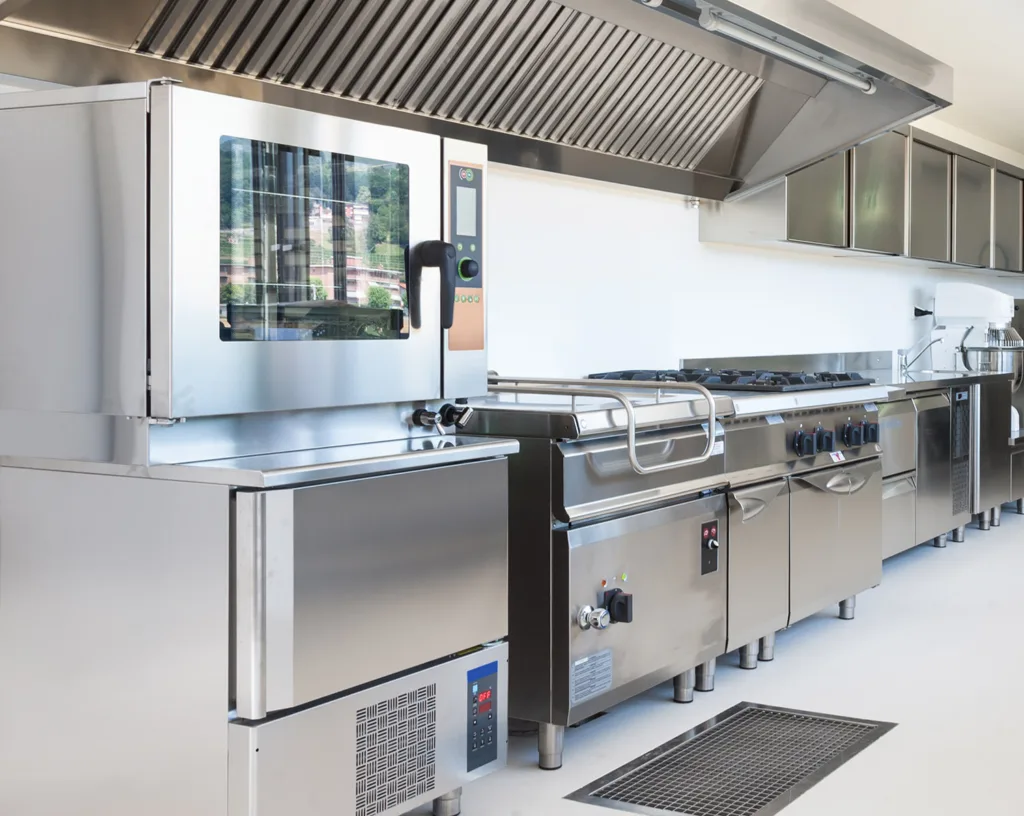
Combi ovens, coffee machines, refrigeration, ordering kiosks and menu boards: food-service equipment puts displays next to heat, steam, grease and cleaning chemicals. We help manufacturers choose screens and touch panels that survive the kitchen and look good in front of guests.
- panels for the hot zone and the cold room
- -20…+70 °Cpanels for the hot zone and the cold room
- touch calibrated for kitchen conditions
- Water · grease · glovestouch calibrated for kitchen conditions
- panels for menu boards and kiosks
- 24/7panels for menu boards and kiosks
Why it matters
From the hot zone to the front of house
Professional kitchens are among the toughest indoor environments for electronics. A touch panel on an oven sits next to steam and heat, gets splashed with water and oil, and is operated by cooks wearing gloves. In a cold room the same interface has to work at low temperatures without fogging up.
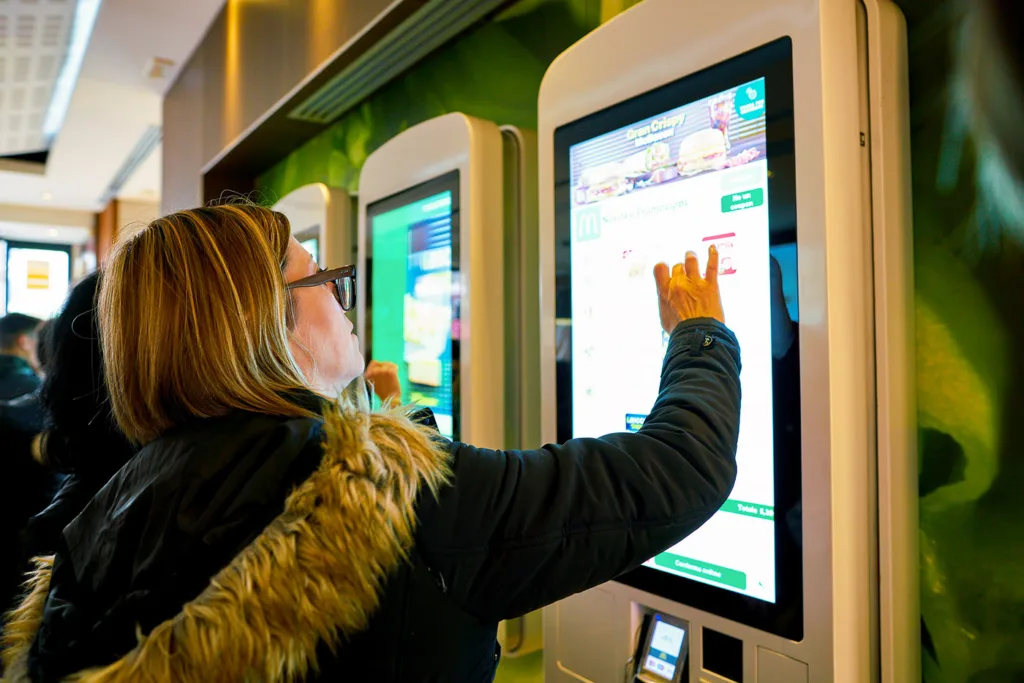
Front of house has different priorities. Ordering kiosks and menu boards must be readable, hygienic and on all day, and coffee machines increasingly use a touch display as their main user interface. Across all of them, hygiene rules and cleaning routines shape the choice of glass, coatings and sealing.
Applications
HoReCa applications we support
Typical equipment and its requirements. Each link opens our display configurator with matching criteria already set.
Kitchen equipment, hot zone
Combi ovens, fryers and cooking robots: touch displays rated for high ambient temperatures, with touch tuned to ignore water and grease.
- 5–20″
- PCAP
- -20…+70 °C
- sealed front
Refrigeration and cold rooms
Blast chillers and cold-room controllers: displays rated for low temperatures, resistive or glove-tuned touch and a bonded front that resists condensation.
- 5–20″
- resistive touch
- -20…+70 °C
- anti-fog stack
Coffee machines
Professional and office coffee machines use touch displays, including stretched bar-type formats, as the main interface.
- 3–10″
- PCAP
- bar-type formats
- printed glass
Ordering kiosks and customer service
Self-order kiosks and counter displays: capacitive screens with full viewing angles, around 750 cd/m² and antimicrobial coating.
- 8–20″
- PCAP
- ~750 cd/m²
- AM coating
Menu boards
Menu boards and order-status screens run all day. About 250 cd/m² is enough in dim restaurants; bright spaces need at least 750 cd/m², and 24/7 use needs panels rated for it.
- 15″ and larger
- 250–750+ cd/m²
- 24/7
- no touch
Requirements
What food-service equipment demands
Four conditions to design for.
Heat and steam
Near ovens and cooktops the panel must be rated for the temperature at its mounting point and sealed against steam. Bonded stacks avoid fogging behind the glass.
Water, grease and gloves
Touch calibrated for water drops, grease films and gloves prevents false touches and missed inputs during service.
Cleaning and hygiene
Daily cleaning with detergents calls for sealed fronts, IP65 or IP69 in washdown areas, chemically resistant glass and antimicrobial coatings.
All-day operation
Menu boards and kiosks work long hours. Choose panels rated for continuous duty with long-life LED backlights.
Specification guide
How to specify a display for food-service equipment
Starting values for kitchen and front-of-house devices.
| Parameter | Typical requirement | Why it matters |
|---|---|---|
| Touch | PCAP with water and grease rejection, glove-ready; resistive for cold zones | Wet hands and gloves |
| Operating temperature | -20…+70 °C for kitchen and refrigeration equipment | Heat near ovens, cold in chillers |
| Front | Sealed, chemically resistant glass; IP65, IP69 for washdown | Steam, splashes and cleaning |
| Brightness | 250–500 cd/m² in dim dining rooms · 750+ cd/m² in bright spaces and kiosks | Readable menus and interfaces |
| Format | 3–10″ standard or bar-type on machines · 15–55″ for menu boards | Fits machine fronts and walls |
| Coatings | Anti-fingerprint and antimicrobial | Hygiene on shared touch points |
| Lifetime | Panels rated for 24/7 with long-life LEDs for menu boards | Always-on content |
What we adapt
What we adapt for HoReCa projects
Details that make a display work in a kitchen and look right in a restaurant.
Touch calibration
Tuning for water, grease and gloves, tested in conditions close to the real kitchen.
Printed cover glass
Glass with your frame, logo and icons, openings for knobs and a finish that is easy to wipe.
Optical bonding
No air gap behind the glass, so no fogging in steam and cold, and better readability.
Coatings
Antimicrobial and anti-fingerprint coatings for shared touch points on kiosks and machines.
Bar-type formats
Stretched displays that fit the narrow fronts of coffee and vending machines.
Our own LCD-TFT lines
Unisystem Lite, Core and Pro are LCD-TFT modules we control end to end, and an excellent starting point for further customization.
Meet the three lines- Core
Equipment that works intensively or continuously: industrial-grade components and 100,000 h MTBF.
About Unisystem Core
From our catalog
Displays for HoReCa from our catalog
A selection matched to the applications above, updated automatically with our catalog.
 Kitchen & food-prep equipment
Riverdi
RVT70HSBFWCA0
Riverdi 7" EVE4 Display
- 7″
- 800 cd/m²
- -20…+70 °C
- PCAP touch
 Kitchen & food-prep equipment
Winstar
WF70A8SYAHLNGB
Winstar 7" 1024x600 LCD-TFT display
- 7″
- 850 cd/m²
- -20…+70 °C
- PCAP touch
 Refrigeration & cold rooms
Winstar
WF70A9SWAGDNT0
Winstar 7" 800x480 LCD-TFT display
- 7″
- 700 cd/m²
- -30…+80 °C
- Resistive touch
 Refrigeration & cold rooms
Winstar
WF43GTIBEDBT0
LCD-TFT display from Winstar Co.
- 4.3″
- 350 cd/m²
- -30…+80 °C
- Resistive touch
 Coffee machines
Winstar
WF43PTIBEDBGF
Winstar 4.3" 480x272 LCD-TFT display
- 4.3″
- 400 cd/m²
- -20…+70 °C
- PCAP touch
 Coffee machines
Winstar
WF40ESWAA6DNG0
Winstar 4" 480x480 LCD-TFT display
- 4″
- 1000 cd/m²
- -30…+80 °C
- PCAP touch
 Menu boards & ordering kiosks
Litemax
DLF3205-INU
LCD-TFT display from Litemax Co.
- 32″
- 1000 cd/m²
- -20…+60 °C
- 3840×2160
 Menu boards & ordering kiosks
Litemax
SSH3325-Y
LCD-TFT display from Litemax Co.
- 33.2″
- 1000 cd/m²
- -20…+60 °C
- 1920×1920
FAQ
Frequently asked questions
Can a touch display work next to an oven?
Yes, if the panel is rated for the ambient temperature at its mounting point and the front is sealed against steam. Many industrial panels are specified for -20 to +70 °C; the enclosure design has to keep the display within that range, and touch calibration handles condensation and water on the glass.
Which touch technology works in cold rooms?
Resistive touch works with any glove and is not affected by condensation. PCAP can also be tuned for gloves and moisture, and it allows thicker, easier-to-clean glass. The right choice depends on the gloves and the cleaning routine in your application.
What does IP69 mean for kitchen equipment?
IP69 is the highest ingress protection level in IEC 60529: the enclosure withstands high-pressure, high-temperature water jets, as used when food-processing equipment is washed down. The rating comes from your device design; we provide a display stack that can be sealed into it.
Do you offer bar-type displays for coffee machines?
Yes. Stretched and bar-type LCD-TFT panels fit the narrow front panels of coffee and vending machines, and can be combined with capacitive touch and printed cover glass.
Contact
Designing kitchen or food-service equipment?
Tell us where the display sits and how it is used and cleaned. A display specialist will propose a solution, with pricing and lead time, typically within 1 business day.
What helps us answer quickly:
- Equipment type and mounting position
- Temperature at the display
- Gloves, water and grease
- Cleaning routine and IP rating
- Screen size and interface
- Estimated annual quantity
A rough idea is enough to start. If you do not know some of the values yet, leave them out and we will help you define them.