Article summary generated by AI — it may contain errors.
Threat factors for information visualization devices include. dust and water, which can not only disrupt but even prevent the module from working. Often, however, we cannot imagine functioning without electronics, which we use even in environments that are unfriendly to them, such as production halls. In order to provide adequate protection for equipment, enclosures are used with a certain level of protection described using IP codes, which are defined by the PN-EN 60529 standard (equivalent to the international IEC 60 529 standard). In the article, we suggest how to decipher the various digits and letters of IP codes.
The IP code (short for International Protection) is formed by at least two digits referred to as “characteristic”: the first – from 0 to 6 and the second – from 0 to 9. It should be noted that they are not always applied. Then the letter X is inserted in their place. (It is possible to come across notations containing two letters X, i.e. IPXX, which means that the enclosure does not provide any protection or has not been tested in this respect.) Sometimes the notation is expanded with two letters – an additional letter (A, B, C, D) and a supplementary letter (H, M, S, W). When they are not applicable, they are simply omitted (there is no need to replace them with a letter X).
Meaning of individual digits and letters of IP codes
The numbers indicate the degree of protection provided by the enclosure for the module against external factors that may affect the operation of the device:
- the first characteristic digit – determines the level of tightness of the housing against the penetration of solids into its interior,
- the second characteristic digit – determines the level of tightness of the housing against water penetration into its interior.
Moreover, the first characteristic digit also specifies the level of protection against contact with the dangerous parts of the module inside, such as by touching them with a hand or finger, tool or wire. In other words – it determines the level of protection of the person who operates the device from touching live or moving parts.
The degree of protection against contact with hazardous parts inside the enclosure can also be indicated by the first letter, the so-called. additional, which, however, only occurs in two cases: (1) when the enclosure protects against contact with hazardous parts but does not guarantee protection against the ingress of solids, or (2) when the enclosure protects against contact with hazardous parts at a level that exceeds that determined by the first characteristic digit.
In addition, when conducting tests of dust- and waterproof devices, the information contained in the second letter, the so-called “waterproof”, becomes important. supplementary, which defines the need for additional procedures during casing leakage tests, such as putting rotors in motion.
The following table describes the various numbers and letters that make up the IP codes:
| First digit | |
|---|---|
| 0 | No protection |
| 1 | Protection against touching hazardous parts with the hand Protection against the penetration of solids with a diameter of 50 mm and more |
| 2 | Protection against touching dangerous parts with a finger Protection against the penetration of solids with a diameter of 12.5 mm and above |
| 3 | Protection against touching dangerous parts with a tool Protection against the penetration of solids with a diameter of 2.5 mm and more |
| 4 | Protection against contact with hazardous parts using a wire Protection against the ingress of solid objects with a diameter of 1 mm or larger |
| 5 | Total protection against access to hazardous parts Protection against the ingress of dust that may interfere with the operation of the device |
| 6 | Total protection against access to hazardous parts Dustproof |
| Second digit | |
|---|---|
| 0 | No protection |
| 1 | Protection against dripping water |
| 2 | Protection against the vertically dripping water when the enclosure is tilted at an angle of 15° from its normal position in each direction |
| 3 | Protection against the water falling as a spray at any angle up to 60° from the vertical from each direction |
| 4 | Protection against splashing water from any direction |
| 5 | Protection against water spray (12.5 l/min) pouring on the housing from any direction |
| 6 | Protection against water spray (100 l/min) pouring on the housing from any direction |
| 7 | Protection against the effects of immersion in water (30 minutes at a depth of 0.15 m above the top of the enclosure or 1 m below the bottom of the enclosure for enclosures lower than 0.85 m) |
| 8 | Protection against the effects of immersion in water (under conditions specified by the manufacturer, but more severe than grade 7) |
| 9 | Protection against flooding by a stream of high-temperature (+80°C) water under high pressure (80-100 bar) |
| Additional letter | |
|---|---|
| A | Protection against access to hazardous parts by hand |
| B | Protection against access to dangerous parts by finger |
| C | Protection against access to dangerous parts with a tool |
| D | Protection against access to hazardous parts by wire |
| Additional letter | |
|---|---|
| H | High voltage apparatus |
| M | Testing the effects of water ingress when the moving parts of the device are in motion |
| S | Testing the effects of water penetration when moving parts of the device are stationary |
| W | Operating in specified weather conditions |
IP code breaking – examples
The standard adopted for equipment operating indoors, such as selected household appliances, is a level of at least IP22, which ensures that the enclosure is sealed against the ingress of foreign objects with a diameter of 12.5 mm and water droplets falling at an angle of 15°. It’s also a guarantee of the inaccessibility of any dangerous components inside the enclosure that the user could accidentally touch with his hand or finger (such risks are also excluded by enclosures with IP3X, IP4X, IP5X and IP6X codes).
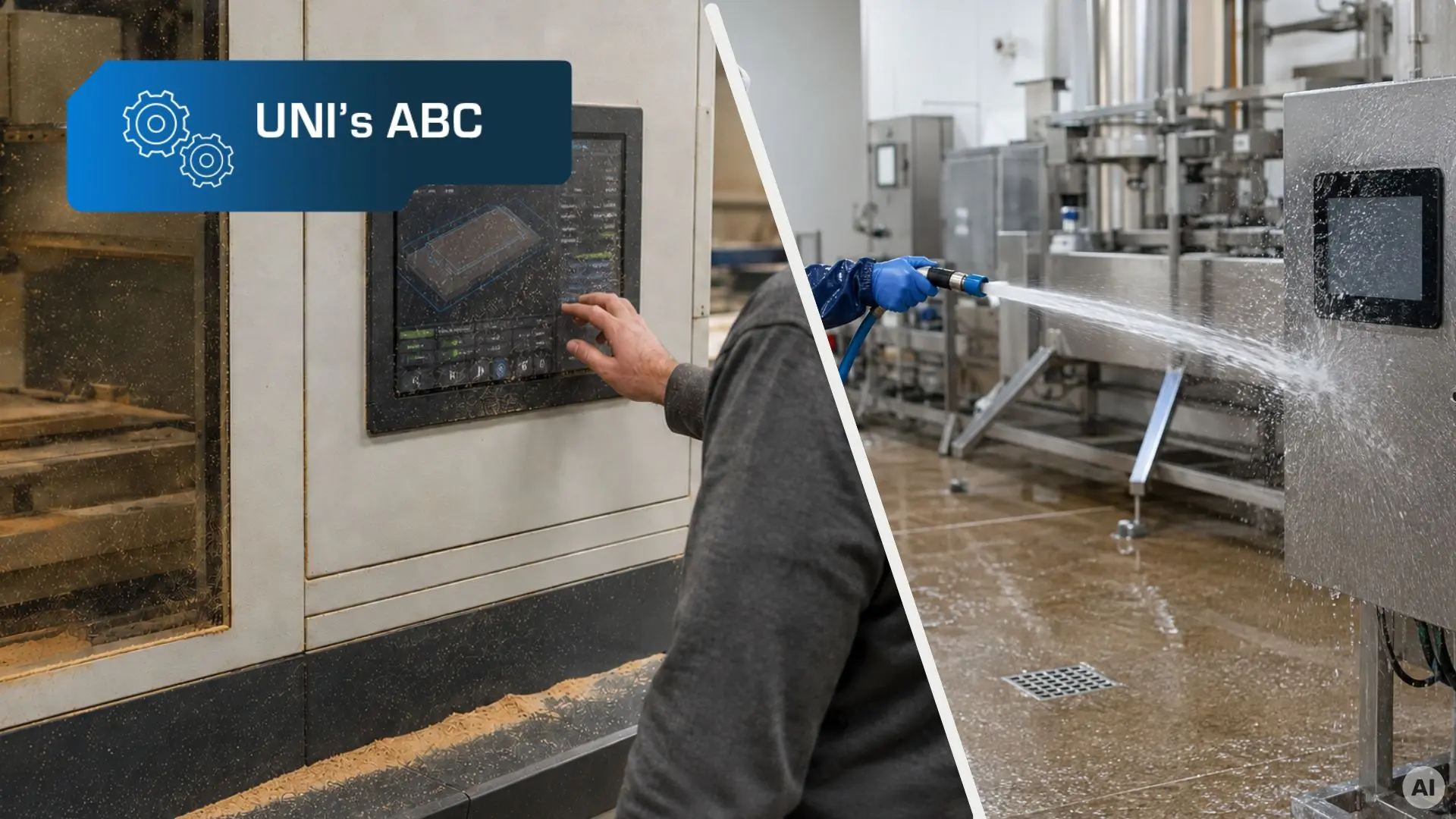
In the case of devices that are intended for use in contaminated environments, such as production halls, it becomes necessary to use enclosures with a protection level of at least IP65 – they provide protection against the ingress of any dust, and to some extent water. In some industries, such as food processing, equipment may require protection at the highest level described in PN-EN 60529, or IP69 – these types of enclosures are completely dust- and waterproof. Such protected devices can be washed with high-temperature water (+80°C) under high pressure (80-100 bar).

It is also worth noting another group of devices from which we increasingly demand reliable performance in various conditions – these are smartphones. Ideally, they should be completely dust- and waterproof. There are solutions on the market whose housings guarantee IP68 waterproofness, which means that neither dust nor water should penetrate them. These types of models can therefore be used on the beach without stress. 😉
Wondering what level of protection to provide for the device you are designing? Benefit from the experience of our RnD department -. contact contact us, and together we will surely find the optimal solution.